
2026-09-10 | Ask Inspire
Support of Ask Inspire | AI chatbot to help you configure Client Cockpit
Ask Inspire is a new chatbot built into Client Cockpit that helps you set up and configure your workspace through natural conversation. Instead of digging through menus and documentation, you can simply describe what you want to achieve, and Ask Inspire guides you through it directly.
Under the hood, Ask Inspire connects to Cockpit through MCP (Model Context Protocol), giving it the ability to actually look at your workspace configuration and make the changes you ask for, rather than just pointing you to instructions. Whether you're setting up profiles, BMIs, or other Cockpit configuration, Ask Inspire can walk you through it step by step and take care of the setup work with you.
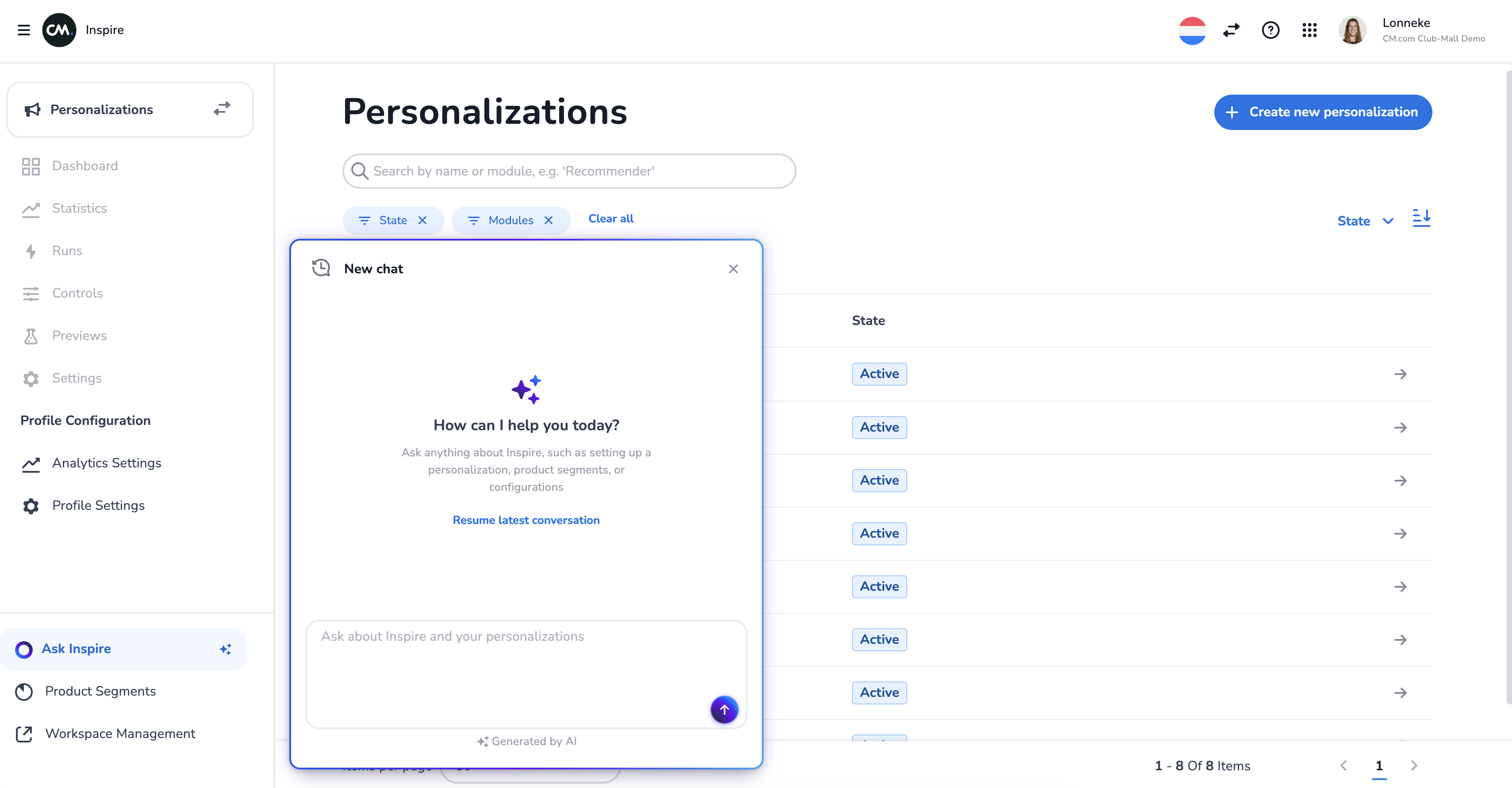
It’s a first iteration so improvements will follow-up rapidly.
The chatbot will also go live for the product feed and web personalization soon.
| Delivery to CXP
Support of CXP | Support of sending output of personalizations to CXP
Your personalization models can now deliver their results directly into CXP, our next-generation Customer Data Platform. This means recommendations, retargeting triggers, RFM scores and prediction outcomes flow straight into the customer profiles you work with in CXP. Ready to power your campaigns, journeys and audiences without any extra integration work.
We've rolled this out broadly, so a wide range of models can now feed into CXP. For example, abandoned-cart retargeting sends a single, clean event per cart with its recommended products, so it's easy to act on in your campaigns. Wherever a model supports it, you simply choose CXP as the delivery target and the results appear on the right profiles automatically.
2026-09-03 | Tag products on multiple values at once
Feature release | List support in the Attribute Tagger
The Attribute Tagger can now work with list-valued attributes — columns that hold more than one value per product. This means a single product can be tagged with multiple values at the same time, for example several rooms, categories or themes it belongs to, rather than being limited to one.
The result is richer, more accurate product tagging that better reflects how your assortment really fits together, giving your personalization and recommendation models more to work with.
For example, a lighting retailer can now tag a single lamp with every room it suits at once — living room, bedroom and hallway — instead of having to pick just one. When a shopper browses "bedroom" products, that lamp shows up; when another shopper looks at "hallway" lighting, it appears there too. Your recommendations and personalization then reflect the full range of places a product fits, rather than a single forced choice.
2026-08-15 | Redesigned Statistics tab
Feature release | See how your personalizations are doing on the redesigned Statistics tab
A completely refreshed statistics experience with charts and a runs list, so you can see how your decisioning is performing at a glance.
Instead of being computed on a small sample, key metrics are now calculated on your full data, so the numbers you see accurately reflect what's really happening. Each model now surfaces its own trend statistics directly in the cockpit, so you can follow how it performs over time at a glance — including today's runs, which now appear on the same day. The redesign also handles richer data, such as product- and item-level breakdowns, giving you more detailed insight into your results.
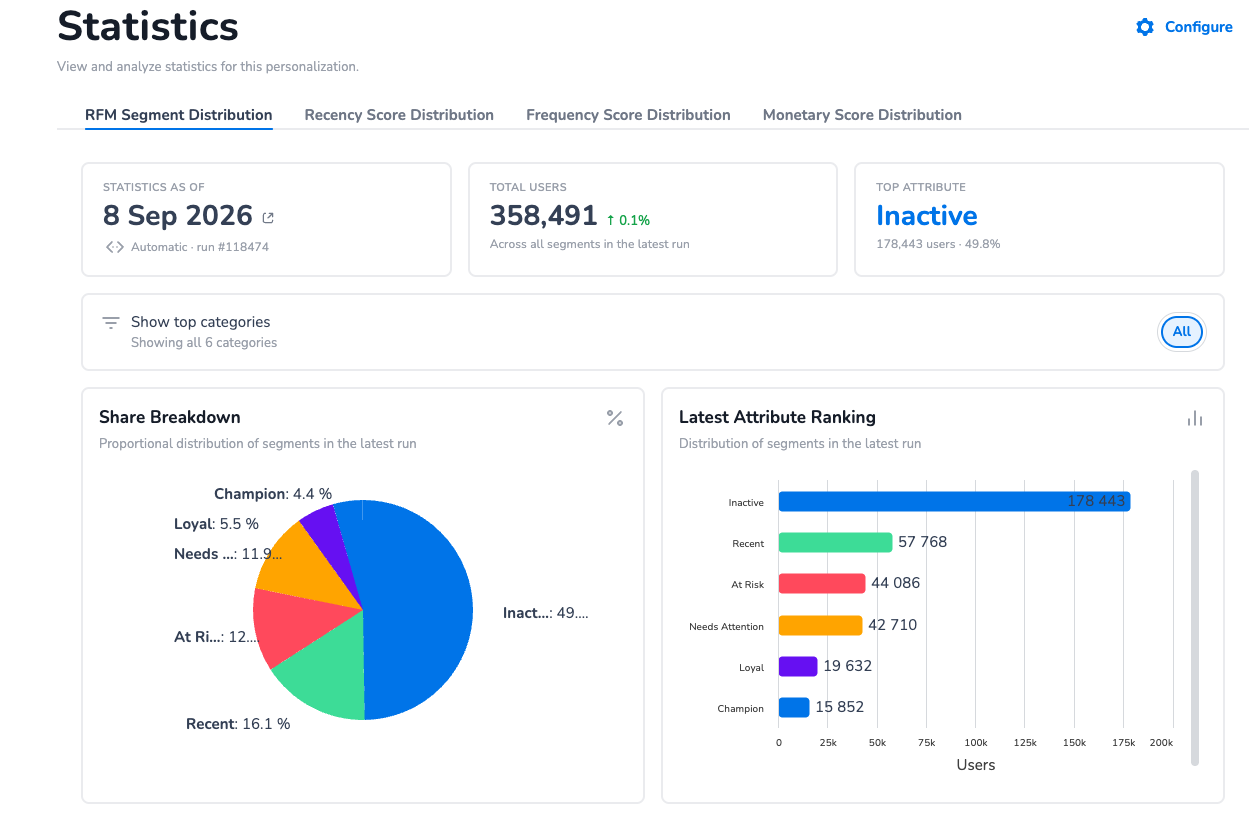
How to get there? Click on a module and on the left navigation pane, you can see the tab “Statistics”. The statistics overview is different per module based on what makes sense to view as an end-user.
No need to activate these for existing customers. We already updated all of these for you!
2026-08-10 | Smarter, more reliable recommendations
Improvement | A range of enhancements across our recommendation models
We've improved several recommendation models so they work better for more of your catalogue and audience:
-
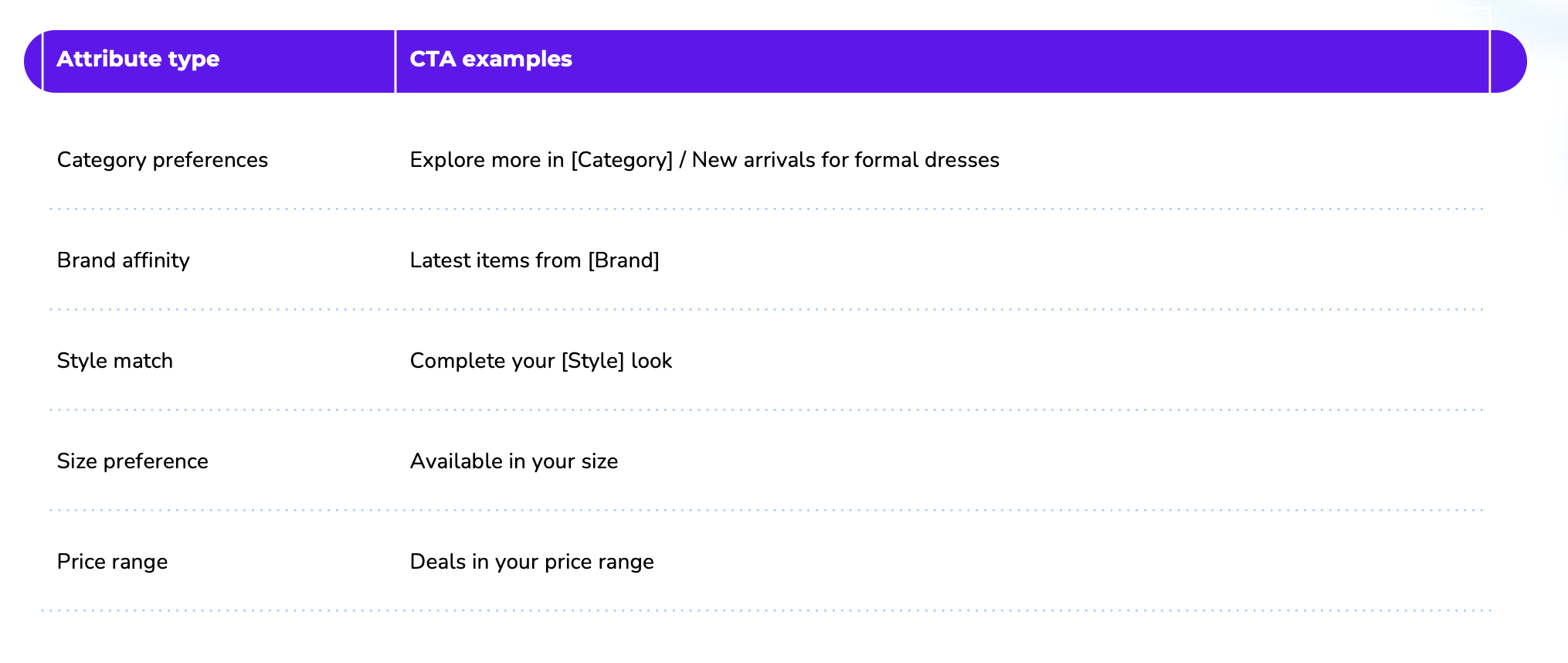
Contextual recommendations — You can now set a minimum number of recommendations, so that even when a product or category has little data behind it, the recommendation slider is always filled instead of showing just one or two items (or none). When the model has to fall back to showing similar products with the same attributes, it now spreads them out more evenly so a single group doesn't dominate the results, and you can choose which popularity signals (for example best-sellers or most-viewed) decide the order of those fallback recommendations.
-
Personalized recommendations — Until now, shoppers we didn't yet have personalized recommendations for could end up with an empty result. You can now decide what happens for those shoppers: either include them and show a sensible fallback (such as popular products), or leave them out entirely. This gives you control over whether every shopper always sees recommendations, or only those with truly personalized results.
-
Frequently Bought Together — Only ever suggests products that are actually in your current catalogue, avoiding recommendations for items you no longer carry.
2026-06-23 | Attribution parameters are fixed from image 2.3
We fixed two small but important issues in how attribution windows are calculated.
-
Setting a window to 0 now actually disables it
In the module settings, you can configure per event type (like email-delivered or campaign-clicked) how many days back you want to look. Setting it to 0 was supposed to disable that event type — but it didn't. An email delivered on the same morning as a purchase would still get attribution credit, even with a 0-day window. That's now fixed: 0 means off.
-
Window sizes now mean what you'd expect
A window of 5 days used to cover 6 calendar days in practice. We've corrected this so that a window of 5 genuinely means 5 days. If you want to keep the same lookback as before, just add 1 to the current value (e.g. 5 → 6).
What does this mean for you or your clients?
If a client's attributed revenue looked inflated — especially if email-delivered was part of the setup — this release will bring those numbers down to a more realistic level. Delivered events fire on every email without any user interaction, so attributing purchases to them tends to overstate email's impact.
After upgrading, we recommend reviewing the window settings and aligning on what makes sense for their use case.
2026-06-15 | Recommendation Segments
Client Cockpit
-
Per-run statistics on the run detail page
-
Open any run to see its own statistics in a dedicated Statistics tab, broken down for that specific run.
-
-
Recommendation Segments
-
Build and manage segments directly for your recommendations, with a new segment overview table and a dedicated segment details page.
-
Preview the products that match a segment and test segments with your own parameters before you save them.
-
2026-05-11 | Attribution available in campaigns
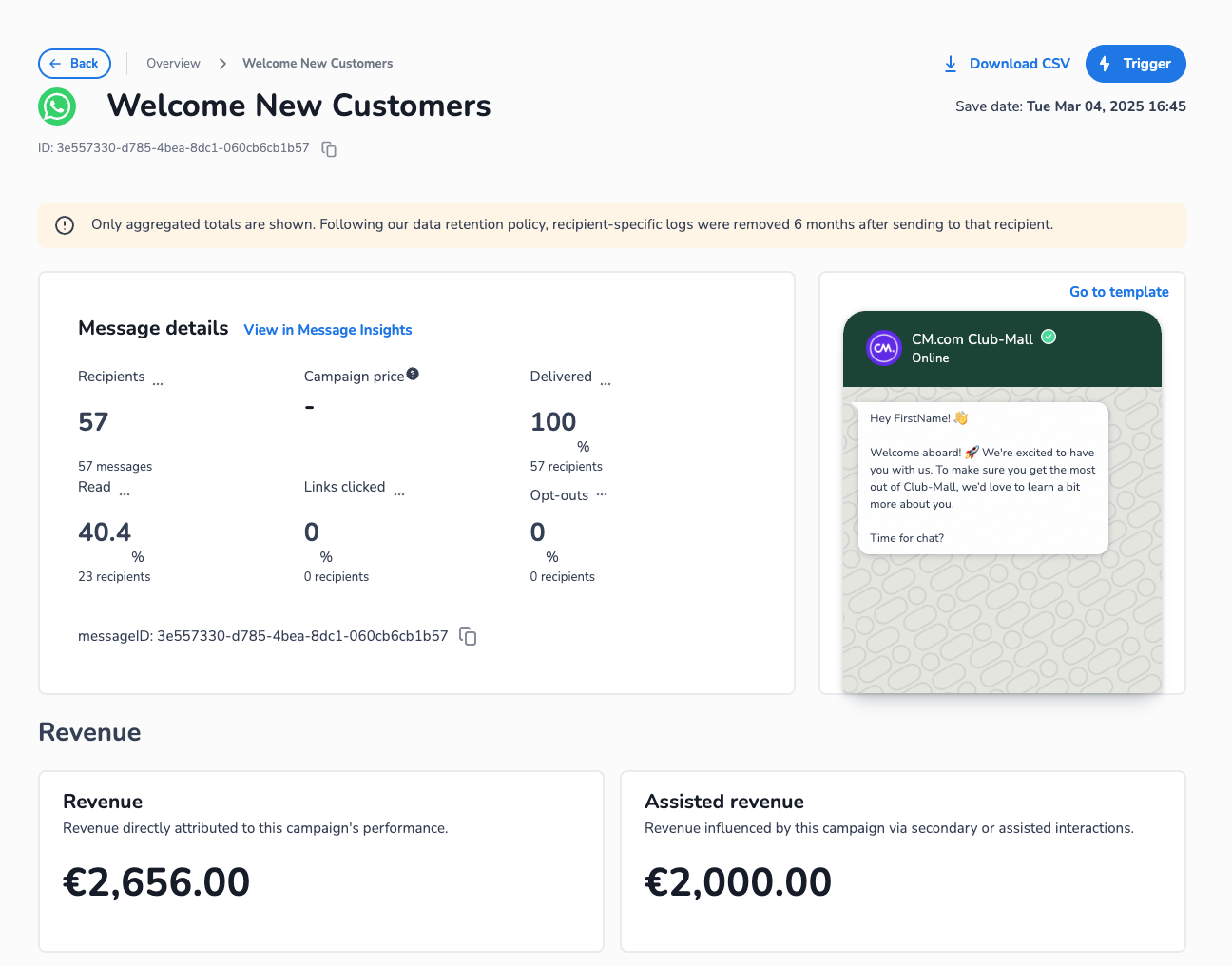
Thanks to the campaigns team, the attribution revenue feature is now also available in campaigns, not only in email campaigns. It works exactly the same way: you can the revenue from transaction made by customers who have within X day clicked/opened the SMS/WhatsApp message that has been sent out.
2026-04-21 | Cockpit, web personalisation and product feed improvements
Client Cockpit
-
Performance — Key pages load 10x faster
-
Critical pages within the Cockpit interface now load up to 10x faster, significantly improving the day-to-day workflow for users managing content, segments, and recommendations.
-
Web Personalization
-
Filter & Search Tracking — Understand on-site search and filter behavior
-
Web Personalization can now detect and track when visitors use on-site search or apply product/content filters. This data is captured per website, giving marketers visibility into what customers are actively looking for — enabling more relevant personalization based on expressed intent rather than just pageviews.
-
-
SPA Navigation Support — Seamless personalization in modern web apps
-
Single-page applications (SPAs) update content without full page reloads, which previously meant personalizations wouldn't refresh when users navigated between views. Personalizations now automatically reload on SPA route changes, ensuring visitors always see the right content regardless of how the site is built.
-
-
Path Pattern Matching — Scope filter detection to specific URLs
-
Filter and search tracking can now be scoped to specific URL paths using pattern matching. This is useful when different sections of a website have different filter implementations, allowing more precise tracking configurations.
-
-
WidgetDataImporter Toggle — Conditional widget import per setup
-
The widget data import process can now be toggled on or off per individual setup. This gives more granular control for configurations where widget data should only be imported in certain environments or for specific use cases, avoiding unnecessary data processing.
-
-
Select Multiple Pages in Location settings - Include or exclude multiple pages for your web personalisation
-
The Location settings now include a ‘contains' ruling to include/exclude multiple pages
-
Product Feed
-
Is-Empty and Has-Value Filters — Filter products by data completeness
-
Two new filter conditions have been added to product feed management: is-empty (field has no value) and has-value (field is populated). This makes it easy to identify and handle products with incomplete data — for example, filtering out products missing an image or description before they appear in recommendations or personalized content.
-
2026-03-17 | Event Based Retargeting (v2.9.7)
Feature release | New triggers, near real-time triggers, and more info in the output
Abandoned checkout trigger — A new trigger type that automatically targets customers who start the checkout process but don't complete their purchase. This is one of the highest-intent moments in the customer journey, making it an ideal opportunity for a well-timed reminder.
Near real-time processing — A new image called "Realtime Event Based Retargeting" makes it possible to process trigger events within 15-30 minutes instead of the previous maximum of 3 runs per day. This means marketers can reach customers while their intent is still fresh — for example, sending an abandoned checkout reminder within the hour rather than waiting until the next scheduled run.
Purchase intent trigger — A new trigger type that identifies customers showing strong buying signals, such as repeated product views or cart activity, without completing a purchase. This allows marketers to proactively engage high-intent users before their interest fades.
Furthermore:
-
Configurable trigger delay — A new trigger-event-type-delay-hours setting lets marketers add a waiting period before a trigger fires. For example, you can wait a few hours after a cart abandonment before sending a reminder, giving the customer time to return on their own.
-
Order value in output — Quantity and order value are now included in the delivery output, so marketers can prioritise retargeting based on the monetary value of abandoned items — reaching out to high-value prospects first.
2026-03-12 | CDP Behavior Trigger (v2.5.3)
Feature release | Price Drop Trigger
A new price-drop trigger has been added to the CDP Behavior Trigger module. When a product's price drops by a configurable minimum percentage compared to the price at the time the customer last interacted with it, a trigger event is fired. This allows marketers to automatically re-engage customers with personalised messages about items they previously showed interest in that are now available at a lower price — a highly relevant and timely touchpoint that can drive conversions.
The minimum price drop percentage is configurable in the cockpit (default: 10%).
2026-03-01 | A/B Testing
App release | You can now do A/B tests on web personalisation components, all from within the new Analytics app
The A/B Testing module helps you measure whether changes to your marketing or website actually improve results. When you run an experiment — for example, testing two different email subject lines or homepage layouts or Inspire personalisation variants — this module automatically tracks how each version performs.
It evaluates three types of outcomes:
-
Conversion rates — did more customers take the desired action (e.g. make a purchase)?
-
Event counts — did customers engage more often (e.g. more clicks or page views)?
-
Revenue — did customers spend more?
The module uses Bayesian statistical testing to analyse the results. Unlike traditional A/B testing that simply tells you "significant or not", Bayesian analysis gives you intuitive, probability-based answers — for example, "there is a 94% chance that variant B performs better than variant A" and "variant B likely increases revenue by 5-12%". This makes it much easier to make confident, data-driven decisions about which version to keep.
Outlier filtering is built in to ensure that a few extreme values (like an unusually large order) don't skew the results, so the conclusions you draw reflect typical customer behaviour.
How to do use A/B testing?
For now, the Inspire team has to manually turn on the A/B testing feature, so please reach out to the team if you want to use this. From CDP V2 onwards, the Analytics app should be automatically available.
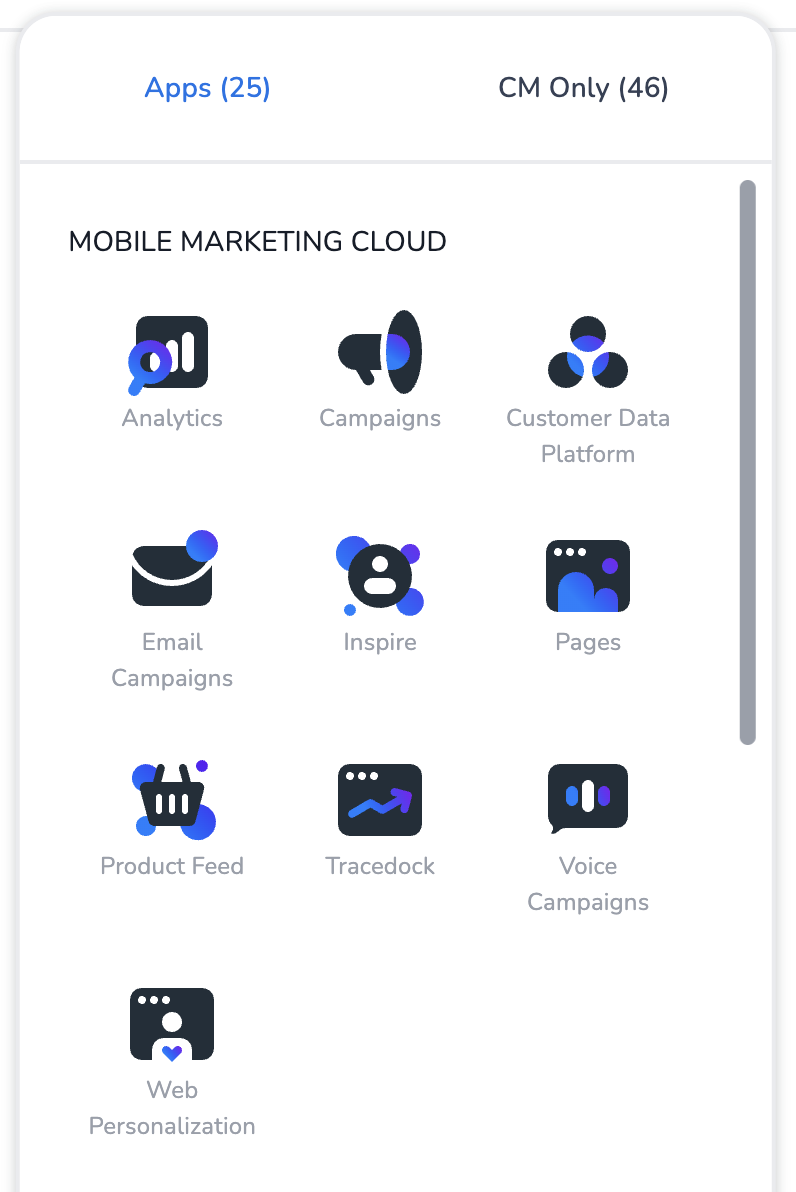
From this app, you can start a new experiment. This only works on web personalisation components, not yet on components within (e-mail) campaigns.
2026-02-01 | Attribute tagger
Subscription update | Attribute tagger is now PRO feature ✨
Attribute tagger was an ENTERPRISE feature, but it is now also released for all PRO customers. The attribute tagger analyses user behaviour and matches tags based on the items they have interacted with.
2026-01-01 | Attribution
Feature release | Revenue attribution within e-mail campaigns
The Attribution module helps you understand which marketing channels and campaigns are actually driving your sales. When a customer makes a purchase, it's often after interacting with multiple marketing messages — an email, a push notification, a campaign click. Attribution answers the question: which of those touchpoints deserves credit for the conversion?
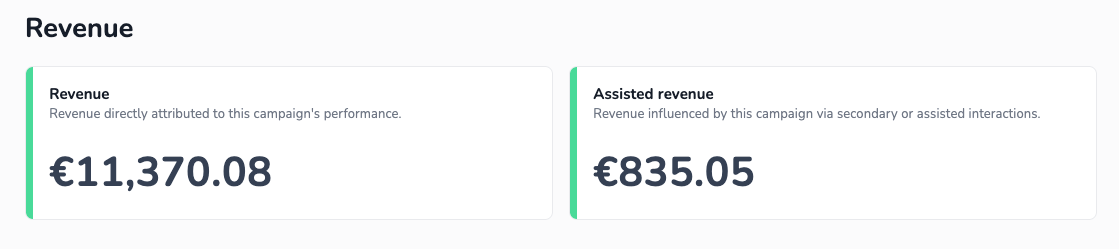
The module uses a last-touch attribution model: the most recent marketing interaction before a purchase receives full credit ("attributed"), while earlier touchpoints in the customer journey are recorded as "assisted". Transactions with no matching marketing activity are marked as "unattributed".
For each channel and campaign, the module calculates attributed revenue, assisted revenue, and the number of transactions — broken down by date. You can also view the total revenue on the Statistics tab within the E-mail Campaigns app.
Important: Attributed revenue includes all purchases made by a customer within 5 days after clicking an email — not just purchases of the specific products that were recommended by Inspire. A customer may be inspired by a personalised email and go on to buy other products as well. All of that revenue counts towards the attributed total, because the email played a role in bringing the customer back to the shop.
Impact
The Attribution module provides the ability to prove the value of personalisation by showing how much revenue personalised campaigns generate. They can compare personalised vs. generic campaigns, and highlight assisted revenue where personalisations supported the customer journey without being the final touchpoint.
It can of course also be used for e-mail campaigns where no personalisation is being used.
How to use?
-
The Inspire team can help you enable this feature. From CDP V2 onwards, this manual enablement won’t be necessary anymore.
-
In the Inspire Cockpit, navigate to the Analytics section in the bottom-left corner. The default settings will work for most cases — the main thing to configure is the schedule, which determines how often the attribution analysis runs. Typically this is set to once per day. After the first scheduled run (or a manual run by the Inspire team), attributed revenue will start appearing in your email campaign reports.
How to interpret the results:
-
Attributed revenue & transactions — this is the revenue and number of conversions directly driven by a channel or campaign (based on last-touch). Use this for ROI calculations and to compare campaign performance.
-
Assisted revenue & transactions — these show channels that played a supporting role earlier in the customer journey but weren't the final trigger. A channel with high assisted revenue but low attributed revenue is still valuable — it's nurturing customers toward conversion.
Each event type has a configurable attribution window — for example, an email click may count as a valid touchpoint for up to 5 days before a purchase, while a delivery event only counts on the same day. This lets you control how far back the system looks when assigning credit.
Default Attribution Windows
These properties control how many days before a purchase a marketing event can still receive credit. If a touchpoint falls outside this window, it is not considered for attribution.
-
Email Delivered Window — default: 0 days. An email delivery only counts if the purchase happens the same day. Set to 0 because simply receiving an email (without opening/clicking) is a weak signal.
-
Email Clicked Window — default: 5 days. An email click counts as a valid touchpoint up to 5 days before a purchase. Clicking shows active engagement, so a longer window makes sense.