New Feature Custom Headers Support
We've added support for custom headers in both our Send Transactional and Send Marketing Email APIs. You can include a headers field in your request body to attach key-value metadata to outgoing emails. This enables scenarios like preventing Gmail from grouping unrelated emails into the same thread, adding one-click unsubscribe shortcuts, or passing internal tracking references such as campaign or order IDs.
We've also added support for email threading via inReplyTo and references, allowing you to tie outbound emails to existing conversations in your recipients' email clients.
New Feature Schedule Email
You can now schedule emails for future delivery directly through the Email Gateway API. Simply include a scheduledAt timestamp in your send request and the email will be held and delivered at the specified time — no need to manage timers or queues on your end.
How it works
-
Pass a
scheduledAtvalue in ISO 8601 format (e.g.2026-06-10T15:30:00+02:00) in your send request -
Emails can be scheduled up to 72 hours in advance
-
The API responds immediately with 202 Accepted confirming the request was received
-
The email is then held in the sending infrastructure and delivered automatically at the scheduled time
Webhook events
Two new webhook event types are now available:
-
Scheduled — fired once the email is confirmed as queued for delivery at the scheduled time
-
Cancelled — fired once a scheduled email is cancelled, including the original scheduled time and when it was cancelled
Message Logs
In the Email Logs page, scheduled emails will appear with a Scheduled status. Once the email is delivered at the scheduled time, the status will automatically update to Delivered.
Update Added Support for .p12 and .pfx File Attachments
You can now send .p12 and .pfx certificate files as email attachments through the Email Gateway API. This is useful for use cases such as distributing digital certificates or signing credentials directly to recipients via email.
To attach a .p12 or .pfx file, include it in the attachments array with:
-
contentType: application/x-pkcs12
-
content: Base64 encoded file content
-
fileName: your file name with the .p12 or .pfx extension
New Feature SDK Documentation Sidebar
Developers can view integration code snippets directly in the application. The sidebar shows code examples in multiple languages (.NET, Go, Python, Rust) for webhook verification and email gateway APIs.
Features:
-
Toggle language tabs to switch between .NET, Go, Python, Rust
-
Copy snippets directly to clipboard
-
Quick links to official documentation
Improvement Improved Design for Managing Domains
We've given the domain management section a fresh look to make it easier to work with your sending domains. The overview has been redesigned to give you a clearer picture of all your domains in one place, making it quicker to find what you need and spot any issues.
We've also streamlined the process of adding a new domain. Several steps that added friction without adding value have been removed, so the setup flow is now shorter and more straightforward. Whether you're adding your first domain or your tenth, you'll get it done with fewer clicks.
UPDATE Tracking Settings Moved to Domain Level
Open and click tracking settings have moved from the account level down to the domain level. Previously, a single tracking setting applied across your entire account — now you can configure it independently for each sending domain.
This gives you much more flexibility. For example, you can enable click tracking on one domain while keeping it disabled on another, depending on your use case or requirements. The settings are easy to find in the domain configuration and take effect immediately. Existing account-level settings have been automatically migrated to your domains, so there's nothing you need to do to maintain your current setup.
UPDATE One-Click Unsubscribe Added to Transactional Emails
We've extended the One-Click Unsubscribe header to transactional emails. This header was already included on all marketing emails — it's now applied to transactional sends as well.
The header allows recipients to unsubscribe directly from their inbox with a single click, which our platform processes automatically. Not including it can negatively impact your deliverability and sender reputation. Some major email clients who have supported list-unsubscribe as a best practice are getting more strict, making it a requirement. Therefore, we've made it a standard part of every email sent through our platform to keep you compliant by default.
Importantly, mailbox providers don't show the unsubscribe button to every recipient — they only surface it in the inbox interface when they consider a sender to be reputable. This may seem like a punishment, but it’s actually the opposite. It prevents recipients from potentially marking your emails as spam.
NEW FEATURE Webhook Logs
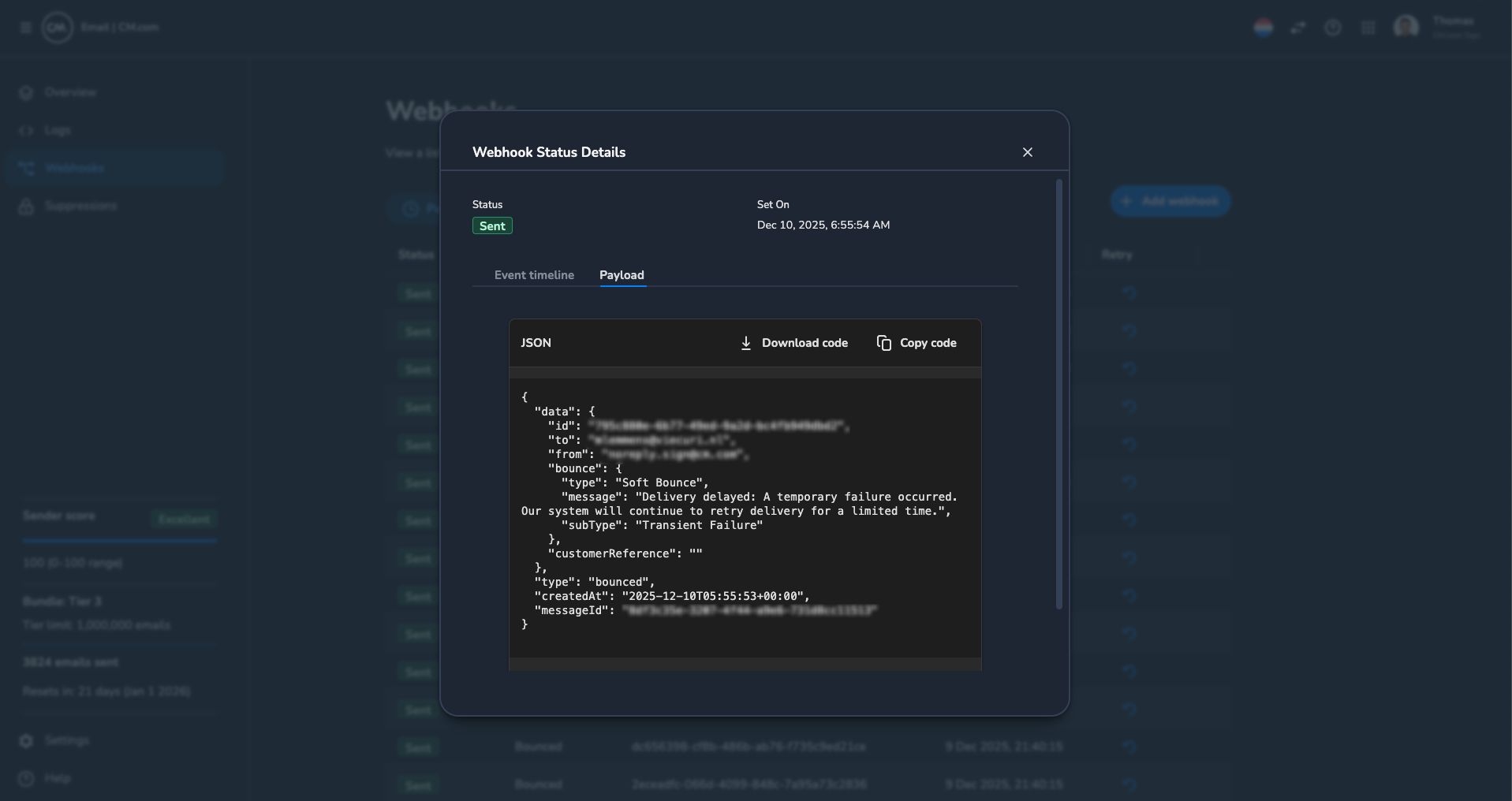
We are introducing Webhook Logs to the Email Gateway. This new addition lets you view a complete log of all webhooks sent to your endpoints, including their delivery statuses. You can manually retry failed webhooks directly from the UI and access detailed information like the payload for easier debugging. This feature enhances transparency, simplifies issue resolution, and streamlines integration management.
IMPROVEMENT New Event Types Added
We’ve introduced three new Event Types, now available as webhooks and in Integration Mode. You can now receive real-time notifications to your endpoints for the following events:
-
sentoccurs when the email is successfully sent to the recipients's mail server. -
suppressedoccurs when the recipient's address is added to the suppression list by our system. -
failedwhen the email failed to send due to an error.
These Event Types provide greater visibility into your email activity and help you monitor delivery performance more effectively. For detailed explanations, visit our documentation: https://developers.cm.com/messaging/docs/webhook-event-types
BREAKING CHANGE Webhook and Event Type Formatting Update
We’ve updated the formatting for webhook responses and event types to use camelCase instead of PascalCase. This change ensures webhook responses align with the structure used across the rest of our service.
Below is an example of the formatting change:
Old Structure:
{
  "Type": "Bounced",
  "CreatedAt": "2025-11-28T06:29:57+00:00",
  "MessageId": "8814fd39-1ba7-4d94-bd4f-fbb2a85ea5ba",
  "Data": {
    "To": "[email protected]",
    "From": "[email protected]",
    "Id": "c7699f04-92b1-44b7-836a-8ce51cf2a2ad",
    "CustomerReference": "testing-integration-mode",
    "Bounce": {
      "Type": "Bounce",
      "SubType": "Integration Mode",
      "Message": "Integration Mode: bounced webhook simulation."
    }
  }
}
New Structure:
{
  "type": "bounced",
  "createdAt": "2025-11-28T06:29:57+00:00",
  "messageId": "8814fd39-1ba7-4d94-bd4f-fbb2a85ea5ba",
  "data": {
    "to": "[email protected]",
    "from": "[email protected]",
    "id": "c7699f04-92b1-44b7-836a-8ce51cf2a2ad",
    "customerReference": "testing-integration-mode",
    "bounce": {
      "type": "Bounce",
      "subType": "Integration Mode",
      "message": "Integration Mode: bounced webhook simulation."
    }
  }
}
This change may impact existing integrations, so please ensure your systems are updated to handle the new formatting. For more details, refer to our updated documentation: Webhook Event Types.
NEW FEATURE IP Whitelisting for API requests
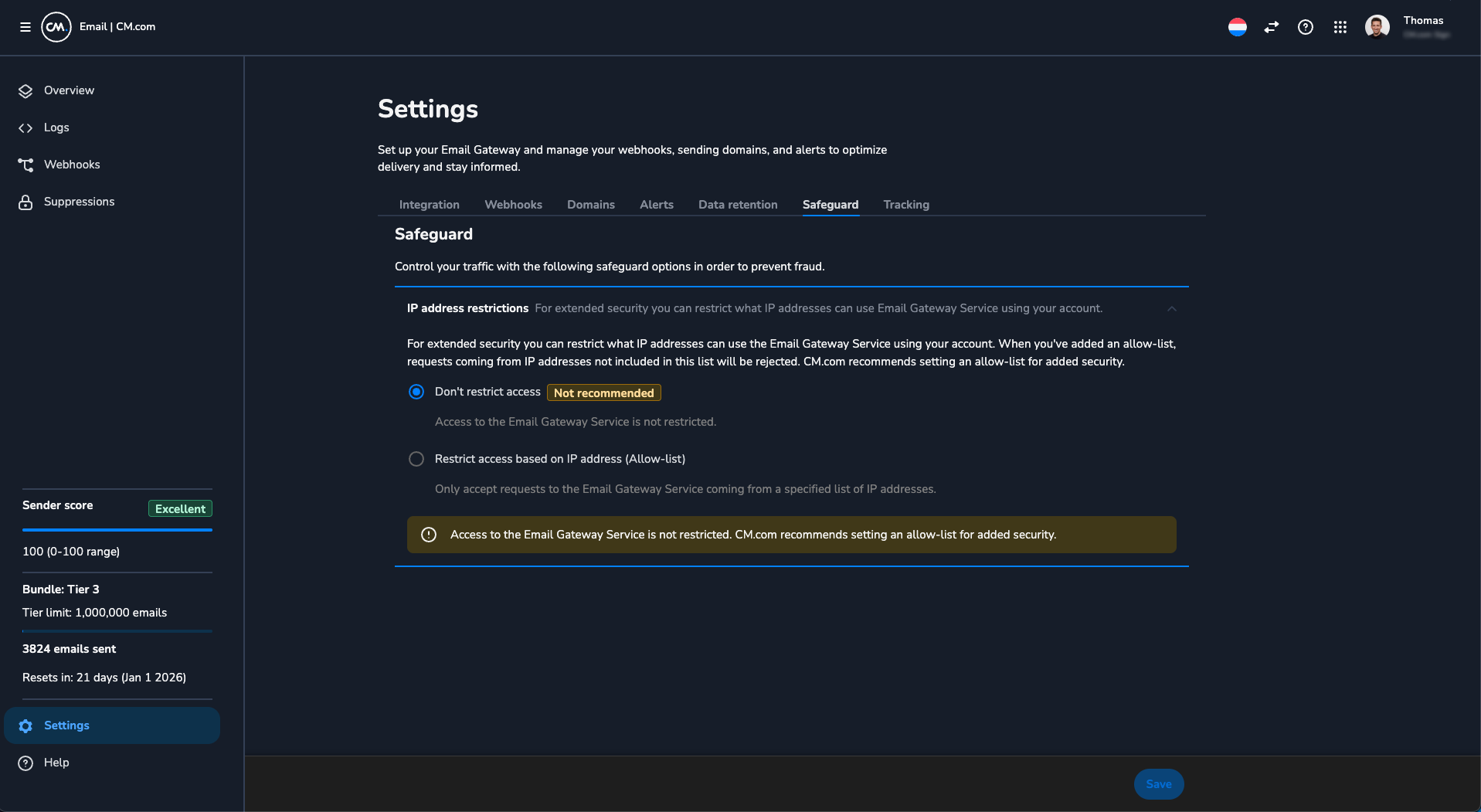
We’ve added IP Whitelisting to the Email Gateway to enhance your account security. This feature allows you to restrict access to the service by specifying an allow-list of trusted IP addresses. Any requests originating from IP addresses not included in your allow-list will be rejected. For added security, http://CM.com recommends setting up an allow-list.
You can provide either a valid IPv4 address or a range of IPv4 addresses using CIDR notation. This option is available under Settings > Safeguard in your dashboard.